01The shelf
Software, downloads, Discord, cameras
Discord is for messages that scroll away. This page is for things that stay. Bookmark it.
Software
You already have all of it
- AdobeYou get a free student account when you enroll. It works on two computers, including at home, and it’s yours until you leave the class
- Sign inUse your CCUSD email, then choose Company or School Account. This is the step most people get wrong
- InstallInstall Lightroom Classic, not Lightroom. They’re two different apps with the same logo, and only Lightroom Classic works with our folders
- FontsThousands of fonts are already paid for. How to turn them on, and the one rule you can’t skip
- WalsworthWalsworth has its own training videos, linked in #yb-wiki. They teach their tool. We teach everything before it
- VideoDaVinci Resolve.
It’s free, it’s on the computers here, and it’s the same software real film studios use. Edit all your videos in it
Downloads
Download these once
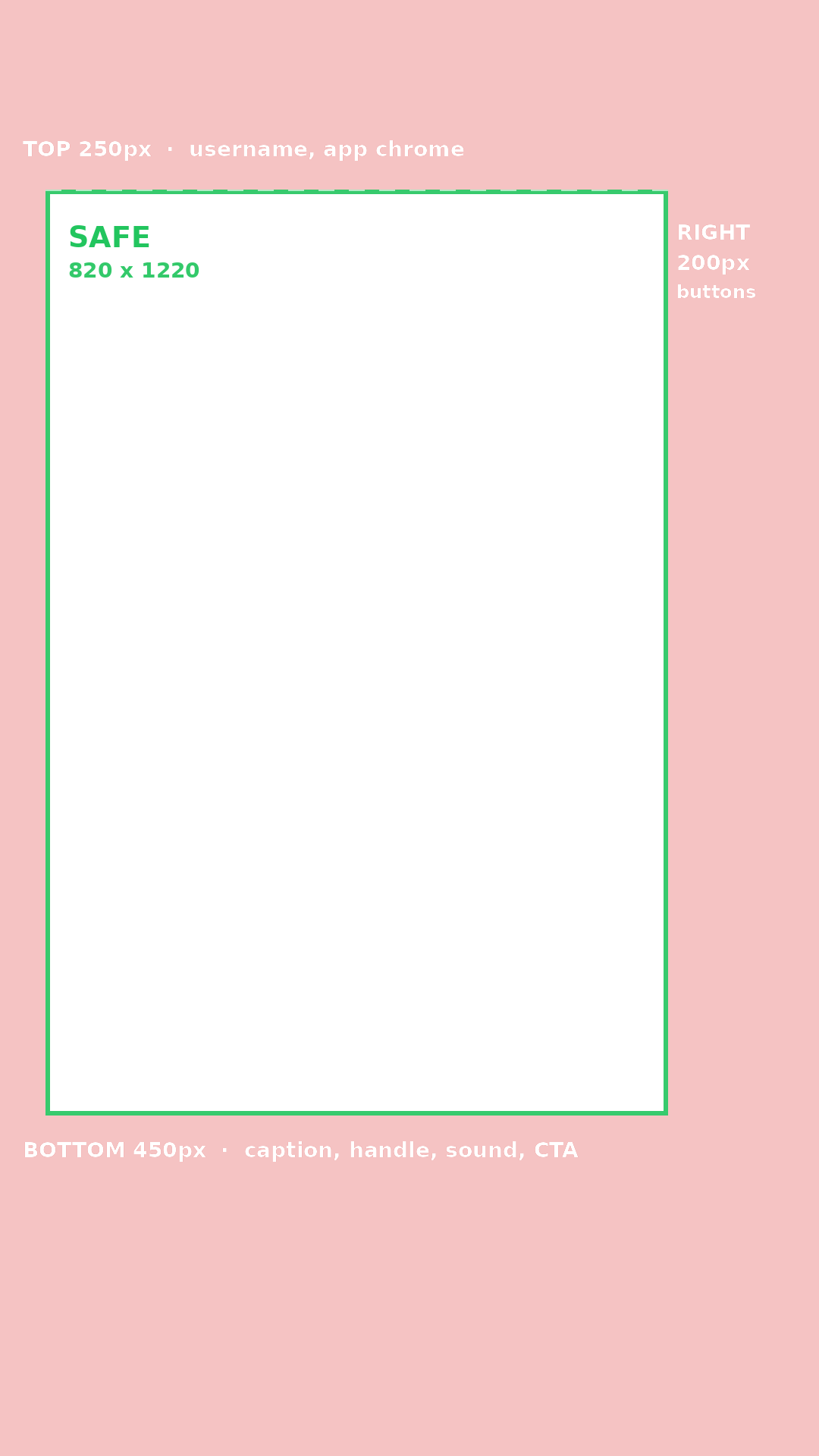
- OverlayVertical safe zone, 1080 × 1920 · put it on top, build inside the box, and delete it before you export
- PresetThe Lightroom export preset, set up to match Walsworth’s specs. Never type export numbers by hand
- Cheat sheetEvery spec on this page, on one printable page
Buy the book
Anyone, any time
- Orderyearbookforever.com · search for Culver City High School
- Tell peopleEvery book sold helps pay to print the pages. Outreach tracks the sales number, and it really matters
- Senior adsParents buy these for their kids. Ask early, because they take up a big part of the book
Where things live
Discord
- #content #design #outreachYour department’s channel. Post your daily reports here
- #yb-equipmentCheck out gear, return gear, and report broken gear
- #yb-news-shareNews about upcoming events. Reps post what they hear from ASB
- #yb-wikiPhoto Drive links, and the link to the Drive itself
The cameras
Which one for which job
- Fast & unpredictableA7 IV, A6700. Basketball, soccer, wrestling, rallies
- Controlled & well litZ5, A7 III. Portraits, staff, academics, stage
- Walking around 4th periodA6700. It’s the lightest, and the least noticeable when you walk into a classroom
- BackupCanon Rebel T5. The extra cameras
Sony and Canon lenses don’t swapThree lens mounts: Sony E, Canon EF/EF-S, Nikon Z. A lens only fits its own brand, and every year someone tries anyway.
The Z5 shoots 4.5 photos a secondThe Sonys shoot about 10. The Z5 is a good camera and the wrong camera for a basketball game.
Two cards at onceThe Z5 and A7 IV save to two cards. Graduation, the last home game, senior photos: turn on the backup slot.
Shutter speed, aperture, ISO, focus, lenses, and the settings for the gym, the stage, outside, and the classroom.
02Adobe Fonts
Adobe Fonts: turning them on, and the rule
Adobe Fonts: turning them on
Two minutes, one time
- 1Creative Cloud has to be installed and open. The website alone won’t work
- 2Go to fonts.adobe.com and sign in with your CCUSD account. Choose Company or School Account, like always
- 3Find a font you like and add it. You can add one weight or the whole family
- 4It shows up under the f icon at the top right of the Creative Cloud app, usually in a minute or two
- 5Now it’s in your font menu in Photoshop, Illustrator, InDesign, and everywhere else. Acrobat and Word need a restart to see it. Nothing else does
- NoteAdobe says to keep your list short. A thousand fonts makes your font menu slow, and you’ll only use four
The rule you can’t skip
Read this part twice
- RuleYou can’t give the font file to anyone.
Adobe doesn’t allow copying or moving the files. So if you send someone a .psd or .ai file, the text will be missing unless they turned on the same font - IllustratorBefore you export, select the text and click Type → Create Outlines. This turns the letters into shapes, so the font doesn’t matter anymore. Save a copy with editable text first, because outlined text can’t be edited
- PhotoshopExporting to PNG or JPEG turns the text into pixels, so it works anywhere.
Keep the layered .psd for yourself, and remember it’s the file that can break on another computer - WalsworthWalsworth has its own font list, and your Adobe Fonts aren’t in it.
Set the text in Photoshop or Illustrator, export it, and place it as art. Don’t try to retype it in Walsworth. It won’t match - CarefulFonts are tied to your Adobe account, not the computer.
If you open your file on a computer someone else is signed into, the text can go missing. Check it before you call a page done - LaterIf you don’t use a font for a few months, it gets turned off. You can turn it back on with one click, but learn that now, not during checkpoint week